What we ranked on
Every charger on this page had to clear one gate before anything else: its maker has to publish a load-management feature, in a spec sheet or on its own product page, in words that describe a mechanism. Marketplace bullet points do not count, and neither does an amperage selector. After that gate, four questions decided the order.
One: does it manage the whole house, or just its own circuit?These solve different problems. Whole-home throttling is what you need when the service itself is the limit — an older 100-amp panel with electric heat and no room in the load calculation. Circuit sharing is what you need when the limit is one 50- or 60-amp circuit you have already paid to install and now want two cars on. Emporia and Wallbox publish the whole-home kind; Autel and Grizzl-E publish the sharing kind; Emporia publishes both, which is why it takes the top two slots.
Two: what hardware does the feature actually need?This is where the category gets expensive quietly. A charger cannot know what your dryer is doing without something measuring the service, so every whole-home implementation needs a meter — and the question is only whether it is in the box. Emporia bundles the Vue 3 with the Pro. Wallbox footnotes both of its load-management rows with “May require power meter accessory,” and listed that accessory at $299.00 on its own US page when we read it, against a charger starting at $649.99. Autel states that its Adaptive Load Management “requires compatible additional hardware” while charger-to-charger balancing does not. Three honest makers, three different bills.
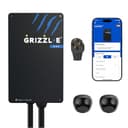
Three: how specific is the published claim?We ranked a plain datasheet row above a marketing paragraph. Wallbox’s North America datasheet prints “Static Load Management, Dynamic Load Management” as a labeled specification, which is a stronger artifact than a feature grid, even though the accessory footnote takes some of it back. Autel’s one-sentence ALM/DLB statement is the clearest thing any maker in this registry publishes about load management. Grizzl-E states its split behavior as a number: half the available current to each connector.
Four: what does the charger cost you if you never use the feature? A load-managed charger should still be a good charger. All five picks here are 40- or 48-amp units with a 25-foot cable and an outdoor-rated enclosure, so nobody is paying for load management with amps or weather sealing. The one real trade is price, and we have named it on every card.
The three features that share one name
If you read nothing else on this page, read this section — it is what the search results get wrong.
Whole-home load management (needs a sensor at the panel).A monitor reads the current flowing into your house and the charger adjusts continuously so the total stays under the service rating. This is the only one of the three that can put a 48-amp charger on a panel a load calculation says is full. Emporia’s PowerSmart is our example because its own page states the mechanism rather than the benefit: it “works with the bundled Vue 3 Energy Monitor to adjust the Pro’s charging rate as your home’s electricity use changes.” Emporia also publishes that PowerSmart can be added to the cheaper Classic for an extra cost, which is the budget route into the same feature.
Charger-to-charger sharing (needs a second charger, not a sensor). Two units on one circuit divide what the circuit can carry. Emporia publishes it as Intelligent Load Sharing across Classic and Pro units on “the same circuit or sub-panel without expensive electrical upgrades,” with full power to a car charging alone. Autel publishes it as Dynamic Load Balancing and states that it works between chargers with no additional hardware. Grizzl-E implements the same idea inside one box on the Duo Connect, splitting 40 amps in half when both cables are in use — about 4.8 kW each, which is the trade this format asks you to accept.
A fixed amperage ceiling (needs nothing, and is not load management). Set the charger to 32 amps and it will draw 32 amps forever, at 3am and at 7pm alike. This is the right answer for a surprising number of homes: it is free, it is on nearly every charger we track, it cannot fail in software, and a car that sits on the drive for eight hours does not care. ChargePoint’s datasheet publishes six amperage steps and no load-management feature at all, and the Home Flex is still one of the best chargers in this registry. If this is the route you want, our 32-amp roundup covers which units publish a clean setting at that level and the adjustable-amp roundup covers the full range of selectors.
Who should skip this entirely
Two groups, and between them they are most buyers.
If your panel has room, you are paying for nothing. A 200-amp service with a few spare breaker spaces and no electric heat will usually host a 48-amp charger on a 60-amp circuit with capacity to spare. The feature does no harm, but the money is better spent on cable length, an enclosure rating or simply kept. Our panel-capacity page walks the calculation, and the under-$500 band is where that money goes further.
If you only ever charge one car overnight, a fixed ceiling is enough. The scenario load management is built for is simultaneous peak demand — the car, the dryer, the oven and the heat pump all at once. If your charging happens between midnight and 6am on a time-of-use rate, that collision mostly does not happen, and a charger dialed to a safe number does the same job for free.
What none of these chargers will do
Create capacity.Load management is a way of living inside a limit, not of raising it. Emporia says the Pro “is designed to work within your existing panel”; it still needs a 60-amp circuit for the full 48 amps, and the wire, breaker and permit for that circuit are the same job they always were. The install-cost breakdown has the line items.
Replace a load calculation. No app on this page tells you whether your service can host a charger. An electrician does that with a calculation under NEC Article 220, and NEC Article 625 governs the charger circuit itself. A managed charger changes the inputs to that calculation; it does not make it unnecessary, and an inspector will still want it done. Permits and inspection covers what gets checked.
Work without its sensor.This is the failure mode to plan for. A whole-home implementation that loses sight of the panel — monitor unplugged, Wi-Fi down, firmware mid-update — has to fall back to something, and what it falls back to is a fixed setting. Set that fallback deliberately, at a level the circuit can carry with the house at full tilt, and treat the dynamic behavior as a bonus on top of a safe baseline rather than as the thing keeping your service inside its rating. Our connectivity page covers how each brand behaves when the network drops.