Three places a schedule can live
Every charger on this page can be made to start charging later than the moment you plug in. They do it in fundamentally different ways, and the difference only shows up on the night something goes wrong.
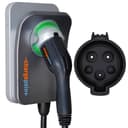
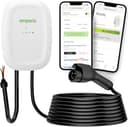
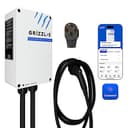
In a cloud app.You set a window on your phone, it is stored on the maker’s servers, and the charger acts on it. This is what most “smart” chargers mean, and it is the most flexible: remote control, usage history, firmware updates, utility program enrollment and voice assistants all come with it. ChargePoint publishes scheduling, plug-in reminders and Alexa, Siri and widget control on its app page. Emporia publishes “Smart Scheduling” as a named feature on both the Classic and the Pro. Grizzl-E publishes schedules and demand-response programs in the Grizzl-E Connect app. The cost is a dependency: an account, a network, and a company that keeps the servers on.
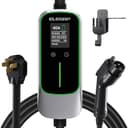
On the charger.A timer or stored program that runs locally. ELEGRP publishes a 1-to-12-hour delayed-start timer on its 40A portable — you plug in, set a delay, and the unit waits. It is less flexible than an app (a fixed delay rather than a clock window, and no record of what happened), and it is immune to everything that can go wrong with a network. For a single car on a stable routine it is genuinely all you need, and it is the cheapest pick on this page.
In the car.Departure time or charging window set on the vehicle’s own screen. This works on anycharger, costs nothing, and is the reason we do not tell you a scheduling charger is essential. It falls short when the car’s interface is poor, when two cars share one charger, when you want consumption data in one place, or when your utility’s program enrolls chargers rather than vehicles. Check your own car first.
What we ranked on
Four criteria, in the order they decide the purchase for a time-of-use household.
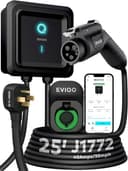
One: is scheduling published as a feature, in the maker’s own words? This is the bar for being on the page at all, and it rules out units we rate highly elsewhere. Lectron publishes no Wi-Fi or app support for either Nexus hardwired unit, so neither is a pick here despite strong certification paperwork. Grizzl-E publishes Wi-Fi, a mobile application and OCPP on the Ultimate 48A spec page but does not publish a scheduling function by name there, which is why the Classic Connect — whose overview page does name schedules — is the Grizzl-E pick instead. EVIQO publishes an app with amperage control but no named schedule function on the page we read; it appears here for what it does publish, with the absence stated.
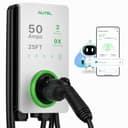
Two: what happens without the network?The most useful spec in this category is barely ever advertised. ChargePoint publishes that its station stores up to 90 days of session data locally if the network drops and that firmware arrives over the air — hardware designed to keep working standalone. Autel publishes connectivity as “Bluetooth, Wi-Fi, Ethernet, CAN, RS485”, the only wired network port in our registry, which turns a weak-signal garage from a problem into a cable run. The ELEGRP sidesteps the question entirely with an on-unit timer. The rest depend on 2.4 GHz Wi-Fi reaching the charger, which in a detached garage is a real engineering question rather than a given — our connectivity guide covers it.
Three: does it do anything with utility programs?Scheduling saves money on its own; utility integration can save more. Grizzl-E publishes demand-response utility programs in the Connect app. ChargePoint publishes utility-connection savings and real-time cost insight across home and public sessions. Emporia publishes Peak Demand Management and PowerSmart Load Management as feature rows, footnoting four of its five headline features as requiring the Vue Home Energy Monitor and, on the Pro, a PowerSmart upgrade — a real cost to know about before you buy on those rows. Our rebate page covers how these programs are structured and the incentives page covers the federal credit.
Four: does it also control amperage? Scheduling moves when you charge; amperage control decides how hard. Together they are how a modest electrical service runs an EV at all. EVIQO publishes app-adjustable 6–40 A, the finest granularity in our registry, which is why it earns a slot here. ChargePoint publishes six discrete app-selected steps at 16, 24, 32, 40, 48 and 50 A. Autel publishes the same six steps and app control to adjust current. Grizzl-E and ELEGRP set it in hardware instead — DIP switches at 40/32/24/16 A and a selector at 16/20/24/32/40 A respectively — which is set-and-forget rather than schedulable. The adjustable-amperage roundup ranks the field on this spec alone.
What scheduling is actually worth
The honest answer is that it depends on a number only your own utility bill can tell you, so here is the arithmetic rather than a claim.
A car driven 12,000 miles a year at a reference 3.5 miles per kWh needs roughly 3,400 kWh at the wall. If your off-peak rate is six cents per kWh cheaper than the on-peak rate you would otherwise be charging at, moving all of that into the cheap window is worth about $200 a year. If the gap is two cents, it is about $70. If you are on a single flat rate, it is zero. Those are our figures from your own inputs, not a promise — look up your utility’s actual on-peak and off-peak prices, check how many hours the cheap window runs, and do the multiplication before you decide how much charger to buy. EV charging and your electric bill and what it costs to charge at home are the two pages with the method.
Two practical notes that matter more than the picks. Check the window length. Some off-peak windows are only five or six hours, which is not enough to fill a large battery from low at 40 amps — if that is your situation, amperage and scheduling are the same decision, and 11.5 kW starts earning its money. Then check whether your car and your charger will fight. If you set a window on the car and a different one on the charger, the charging happens in the overlap, which is a common and baffling way to wake up to an empty battery. Pick one and turn the other off.
Who should skip this category
Three households, stated plainly, because the best outcome on an affiliate page is sometimes that you buy the cheaper thing.
If you are on a flat rate.There is no cheap window to move your charging into, so the schedule saves nothing. Buy on amperage, cable length and enclosure instead — our under-$300 page covers the bottom of the market and the no-app case covers the rest.
If your car schedules well and only one car uses the charger. The car has already solved this for free, and on any charger. Spend the difference on the circuit.
If the garage has no usable Wi-Fi and running a cable is not an option. Then an app-based schedule is a feature you are paying for and will fight with. The ELEGRP’s on-unit timer or the car’s own departure timer are the reliable answers, and both are cheaper.